
Managing appointments efficiently can make or break a garage door repair business. Missed calls, double bookings, and poor route planning cost you time and money every day. Understanding the different appointment scheduling types available helps you choose a system that maximizes efficiency, reduces no-shows, and improves customer satisfaction. This guide walks you through evaluation criteria, explores manual, automated, and hybrid scheduling methods, and provides a direct comparison to help you select the best solution for your garage door service business.
Table of Contents
- Key Takeaways
- How to evaluate appointment scheduling systems for garage door technicians
- Traditional manual appointment scheduling
- Automated and online appointment scheduling software
- Hybrid appointment scheduling approaches
- Comparing appointment scheduling types for garage door service businesses
- Optimize your garage door appointments with FieldSlot
- FAQ
Key Takeaways
| Point | Details |
|---|---|
| Evaluation criteria | Choose a scheduling system by testing ease of use, calendar integrations, automation features, client and field technician access, scalability, and data security. |
| Automation benefits | Automated reminders and confirmations reduce no shows and improve customer communication. |
| Manual scheduling limits | Manual methods are simple but susceptible to double bookings, errors, and slow responses to urgent jobs. |
| Best fit guidance | Select a solution that offers around the clock client booking and route optimization plus reliable mobile access for technicians. |
How to evaluate appointment scheduling systems for garage door technicians
Choosing the right scheduling system requires evaluating several critical factors that directly impact your daily operations. Effective scheduling systems improve operational efficiency and customer experience, making this decision crucial for business growth.
Start by assessing ease of use for both your team and customers. Complex systems create bottlenecks and frustration. Integration with existing calendars like Google Calendar or Outlook ensures technicians see appointments across all devices without manual updates. Automation features such as reminders and confirmations reduce no-shows significantly.
Customer accessibility matters tremendously. Can clients book appointments 24/7 without calling your office? Mobile access for technicians in the field allows real-time schedule updates and reduces communication gaps. Scalability determines whether the system grows with your business or becomes a limitation.
Consider these essential criteria:
- Reliability to minimize missed appointments and scheduling conflicts
- Flexibility to handle urgent garage door repairs and last-minute changes
- Route optimization to reduce drive time between jobs
- Cost versus return on investment for your specific business size
- Data security and backup to protect customer information
Pro Tip: Test any scheduling system with a trial period before committing. Run it parallel to your current method for two weeks to identify potential issues.
Traditional manual appointment scheduling
Many small garage door businesses still rely on manual scheduling despite inherent inefficiencies. This approach involves phone calls, paper notebooks, whiteboards, or basic spreadsheets to track appointments and technician availability.
The primary advantage is simplicity. No software subscriptions, no learning curve, and no technology barriers. You write down customer information, assign a technician, and mark the calendar. For solo operators handling 3 to 5 jobs daily, this method can function adequately.
However, drawbacks multiply as your business grows. Double bookings occur when multiple people schedule appointments without real-time visibility. Handwriting errors lead to wrong addresses or contact numbers. Lost notebooks mean lost appointments. Coordinating multiple technicians becomes chaotic without centralized scheduling.
Manual systems struggle with urgent repairs. When an emergency garage door call comes in, you must phone each technician to find availability, then call the customer back, risking lost business if they book elsewhere first. Customer reminders require manual calls or texts, consuming administrative time.
Key limitations include:
- No automated reminders, increasing no-show rates
- Poor visibility across multiple technicians and locations
- Time-consuming phone tag with customers
- Difficult to track historical data or analyze scheduling patterns
- No route optimization, wasting fuel and time
Pro Tip: If using manual methods temporarily, maintain a dedicated physical logbook with carbon copy pages. This creates automatic backups and reduces lost appointment information.
Automated and online appointment scheduling software
Online booking platforms reduce missed calls and improve scheduling accuracy by enabling customers to book appointments directly through your website or shareable links. These digital solutions transform scheduling from a manual task into an automated workflow.
Modern scheduling software offers calendar synchronization with Google Calendar and Microsoft Outlook, ensuring technicians see updates instantly across all devices. Customers receive automated email or SMS reminders before appointments, reducing no-shows by up to 40%. Self-booking operates 24/7, capturing appointments even when your office is closed.

Route optimization features analyze job locations and automatically sequence appointments to minimize drive time. Service area restrictions prevent booking unprofitable jobs too far from your coverage zone. Travel buffers between appointments ensure technicians arrive on time without rushing.
Benefits for garage door technicians:
- Eliminates phone tag and reduces administrative time
- Provides real-time availability to customers
- Captures more jobs through after-hours booking
- Scales effortlessly as you add technicians
- Generates reports on scheduling patterns and efficiency
Limitations include subscription costs ranging from $20 to $100 monthly depending on features and team size. Initial setup requires configuring service areas, availability, and integrations. Internet dependence means offline access may be limited, though most platforms cache data locally.
| Software Feature | Benefit for Garage Door Techs |
|---|---|
| Calendar Sync | Real-time updates across devices |
| Customer Self-Booking | 24/7 appointment capture |
| Automated Reminders | Reduces no-shows significantly |
| Route Optimization | Minimizes drive time and fuel costs |
| Service Area Setup | Prevents unprofitable long-distance jobs |
Pro Tip: Choose software with service area setup tools to automatically decline bookings outside your profitable coverage zone, saving time on uneconomical travel.
For field service professionals evaluating options, top booking software for 2026 provides detailed comparisons of features and pricing.
Hybrid appointment scheduling approaches
Hybrid scheduling can help small businesses transition smoothly to digital platforms by combining traditional phone bookings with digital calendar tools. This middle-ground approach maintains personal customer interaction while gaining some automation benefits.
Typical hybrid setups include taking appointments by phone or in person, then immediately entering them into Google Calendar, Outlook, or a shared spreadsheet. Technicians access the digital calendar on mobile devices for real-time updates. Some businesses use basic booking software for online requests while still accepting phone calls for complex jobs.
Advantages include flexibility for customers who prefer calling and gradual technology adoption for teams hesitant about full automation. You maintain the personal touch that builds customer relationships while reducing some manual scheduling errors. Initial costs stay lower than comprehensive software suites.
Challenges arise from managing two systems simultaneously. Inconsistent data entry creates gaps between phone bookings and digital records. Without proper synchronization, double bookings still occur. Staff must remember to update both systems, adding steps rather than reducing workload.
Implement hybrid scheduling effectively:
- Designate one primary scheduling system as the source of truth
- Create a checklist requiring immediate digital entry after phone bookings
- Schedule daily reviews to catch synchronization gaps
- Train all staff on consistent data entry procedures
- Set a timeline to transition fully to automated systems
Suitable tools for hybrid approaches:
- Google Calendar with shared access for team visibility
- Microsoft Outlook with mobile app for field updates
- Simple booking forms embedded on your website
- Spreadsheet templates with real-time cloud sync
- Basic CRM systems with calendar integration
Hybrid methods work best as temporary solutions during technology transitions, not permanent strategies. They require discipline to maintain consistency across systems.
Comparing appointment scheduling types for garage door service businesses
Understanding how manual, automated, and hybrid scheduling stack up helps you make an informed decision based on your specific business needs. Comparative analysis helps identify the best scheduling option based on business size, budget, and operational complexity.
| Factor | Manual Scheduling | Automated Software | Hybrid Approach |
|---|---|---|---|
| Upfront Cost | Minimal | $240-$1200/year | Low to moderate |
| Ease of Use | Simple initially | Learning curve | Moderate complexity |
| Customer Convenience | Phone calls only | 24/7 self-booking | Mixed options |
| Error Risk | High | Very low | Moderate |
| Scalability | Poor | Excellent | Limited |
| Mobile Access | None | Full featured | Partial |
| Route Optimization | Manual planning | Automated | Manual planning |
| Reminder Automation | None | Automatic | Manual or basic |
Manual scheduling suits solo garage door technicians handling fewer than 5 appointments daily with minimal growth plans. The zero software cost appeals to startups testing market viability. However, error rates and time waste make this approach expensive once you factor in lost appointments and inefficient routing.
Automated software excels for businesses with 2 or more technicians, growth ambitions, or high appointment volumes. The investment pays for itself through reduced no-shows, captured after-hours bookings, and time savings on administrative tasks. Customer experience improves dramatically with self-booking and automated reminders.
Hybrid approaches fit businesses actively transitioning from manual to digital or serving customer bases split between tech-savvy and traditional preferences. This method requires strong discipline to avoid the worst of both worlds: manual effort plus software costs without full automation benefits.
Key decision factors:
- Choose manual only if you are a solo operator with under 5 daily jobs and no growth plans
- Select automated software when scaling beyond one technician or seeking competitive advantage
- Use hybrid temporarily during transitions, not as a permanent solution
- Consider customer demographics and booking preferences in your service area
- Factor in time savings and reduced no-shows when calculating true costs
Most successful garage door businesses eventually adopt automated scheduling as the clear winner for efficiency, customer satisfaction, and scalability.
Optimize your garage door appointments with FieldSlot
After evaluating scheduling types and their trade-offs, implementing the right solution becomes your next priority. FieldSlot online booking software provides field service professionals with automated scheduling designed specifically for trades like garage door repair, eliminating manual tasks and capturing more appointments.
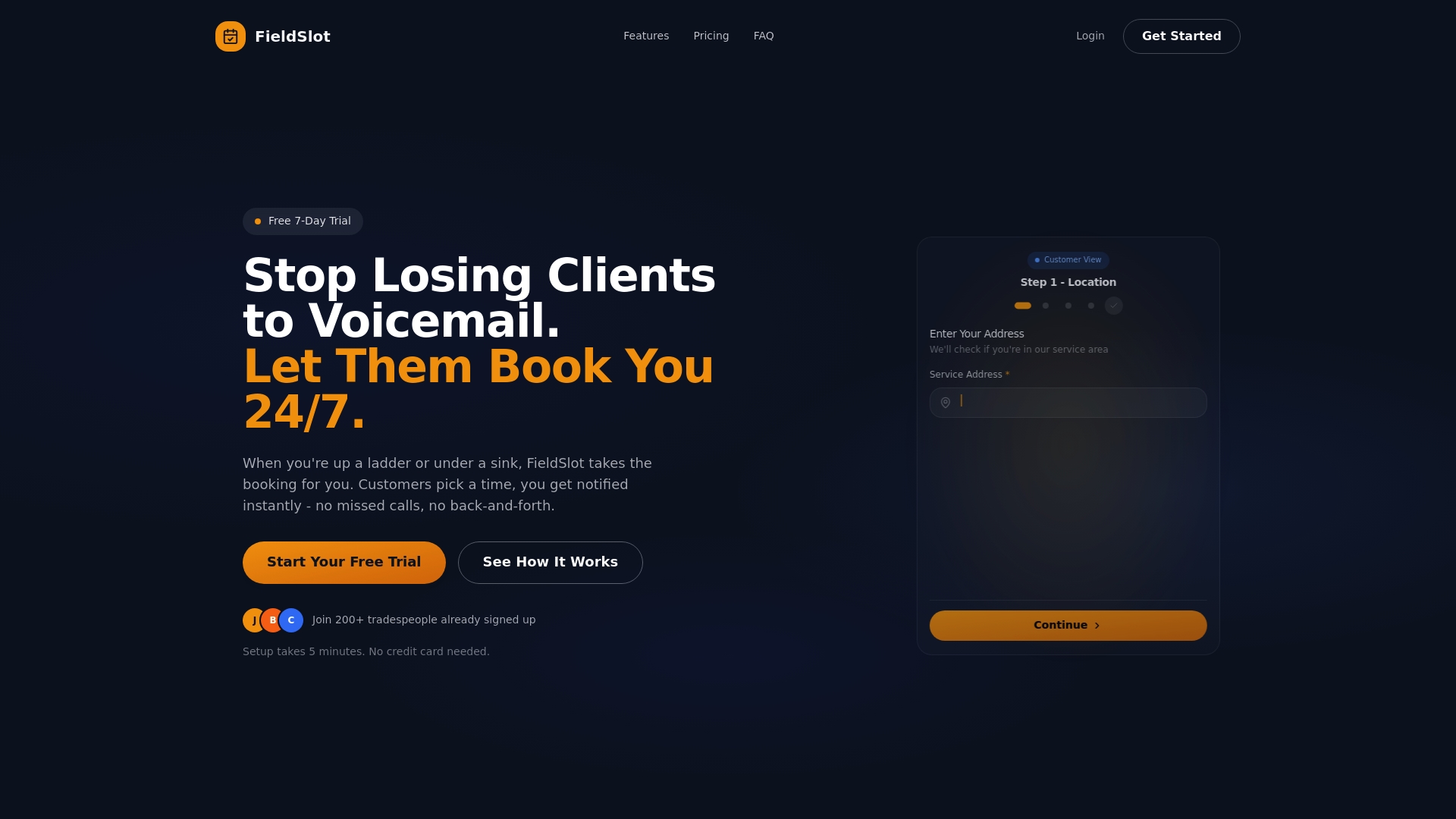
The platform offers 24/7 customer self-booking through shareable links, real-time calendar synchronization with Google Calendar and Outlook, and automated email reminders that reduce no-shows. Geographic service area restrictions prevent unprofitable long-distance jobs, while route optimization sequences appointments to minimize drive time between garage door repairs.
Setup takes under five minutes, making it accessible even for non-technical users. Pricing plans cater specifically to small trade businesses, helping you scale operations without overwhelming costs. By reducing administrative time and capturing after-hours bookings, FieldSlot helps garage door service businesses increase job capacity and improve customer experience systematically.
FAQ
What is the best type of appointment scheduling for small garage door businesses?
Small garage door businesses with growth plans benefit most from automated scheduling software that balances cost and efficiency. Solo operators might start with hybrid approaches, but scaling beyond one technician requires automated systems to prevent scheduling chaos and maximize daily job capacity.
How can garage door technicians reduce no-shows and missed appointments?
Automated email and SMS reminders sent 24 hours before appointments reduce no-shows by up to 40%. Online self-booking platforms improve customer engagement by allowing easy rescheduling through confirmation links. Clear communication about appointment windows and automated follow-ups keep customers informed and committed.
Are there affordable appointment scheduling tools for new garage door service businesses?
Several budget-friendly booking software options offer essential features starting around $20 monthly for single-user plans. Trial periods let new businesses test functionality before committing. Tiered pricing structures allow startups to begin with basic features and upgrade as appointment volumes increase.
Do automated scheduling systems work for emergency garage door repairs?
Yes, modern scheduling platforms handle urgent appointments through priority booking features and real-time availability updates. Technicians can accept emergency jobs via mobile apps, automatically adjusting schedules and notifying affected customers of any changes. Some systems allow customers to mark requests as urgent during self-booking.
How long does it take to transition from manual to automated scheduling?
Most garage door businesses complete the transition in 1 to 2 weeks. Initial setup takes 30 minutes to configure service areas, availability, and integrations. Running both systems parallel for one week helps identify issues before fully switching. Staff training requires 2 to 3 hours to cover booking procedures and mobile app usage.