
Field service professionals face a daily juggling act: matching technician skills to jobs, minimizing drive time, handling last-minute emergencies, and keeping customers happy. Manual scheduling drains hours that could be spent on billable work, and missed appointments cost both revenue and reputation. Scheduling software transforms this chaos into streamlined operations, boosting job capacity by up to 30% while cutting administrative overhead. This article explores how the right scheduling tools deliver measurable gains in efficiency, profitability, and customer satisfaction for plumbers, HVAC technicians, and other trade professionals.
Table of Contents
- Key Takeaways
- How to evaluate scheduling software: key criteria for field service pros
- Top scheduling software features that boost efficiency and capacity
- Comparing leading scheduling software solutions for field service pros
- Choosing the right scheduling software for your field service business
- Discover FieldSlot: the all-in-one booking software for field pros
- What is scheduling software for field service professionals?
Key Takeaways
| Point | Details |
|---|---|
| Scheduling capacity gains | Scheduling software boosts job capacity by up to 30 percent and reduces administrative overhead. |
| AI driven optimization | The system balances technician skills geographic coverage and workload to assign the best technician to each job. |
| Integrations and invoicing | Native connections to QuickBooks and calendar sync automate invoicing and prevent data entry errors. |
| Mobile field access | A mobile app enables real time updates access to job details and site notes for dispatchers and technicians. |
How to evaluate scheduling software: key criteria for field service pros
Choosing scheduling software requires understanding what separates basic calendar tools from solutions built for field service complexity. The core mechanic is AI optimization balancing technician skills, geographic coverage, and job capacity, with nuances including marginal booking costs, electric vehicle routing constraints, and overflow planning across multiple days. Not all platforms handle these variables equally.
Start by assessing whether the software can match jobs to technicians based on certification levels, experience with specific equipment brands, and proximity to job sites. A plumber certified for gas line work shouldn't be dispatched to a drain cleaning job when another qualified tech is closer. Geographic intelligence matters too: the system should recognize service area boundaries, calculate realistic travel times accounting for traffic patterns, and avoid sending technicians across town when local options exist.
Integration capabilities determine whether the software becomes your operational hub or just another disconnected tool. Look for native connections to accounting platforms like QuickBooks that automatically generate invoices when jobs complete, eliminating double data entry. Calendar synchronization with Google Calendar and Microsoft Outlook prevents double bookings and keeps personal appointments visible alongside work schedules. Payment processing integrations let customers pay immediately after service, improving cash flow.
Mobile functionality is non-negotiable for field teams. Technicians need instant access to job details, customer history, and site notes without calling the office. The app should allow status updates, photo uploads for documentation, and digital signature capture for work orders. Real-time communication between dispatch and field staff prevents the phone tag that wastes productive hours.
Emergency responsiveness separates adequate software from exceptional solutions. When a customer calls about a burst pipe or failed HVAC system in summer heat, the platform should instantly identify the nearest available technician, calculate arrival time, and automatically adjust other appointments to accommodate the urgent job. Manual shuffling takes too long and increases the risk of errors that cascade through the day's schedule. For deeper insights on booking software criteria, consider how these features align with your specific operational needs.
Top scheduling software features that boost efficiency and capacity
The right feature set transforms scheduling from a daily headache into a competitive advantage. Here are the capabilities that deliver measurable improvements:
-
Automated appointment scheduling with AI dispatch optimizes routes and technician assignments based on skills, location, and current workload. Instead of manually reviewing calendars and guessing travel times, the system calculates optimal assignments in seconds. This intelligence extends to recognizing when adding one more job to a technician's route makes sense versus assigning it to someone else, maximizing billable hours without creating impossible schedules.
-
Mobile app access provides technicians with instant updates and complete customer information at their fingertips. Field teams see job details, service history, special instructions, and equipment specifications before arriving. When schedules change, push notifications alert everyone immediately. Technicians can update job status, request parts, or escalate issues without phone calls, keeping the office informed in real time.
-
Integration with accounting software streamlines invoicing and payment collection. When a technician marks a job complete, the system automatically generates an invoice based on labor hours, parts used, and agreed pricing. QuickBooks integration means financial records stay current without manual data transfer. Benchmark data validates that top performers achieve 20-30% gains by unifying operational data with financial systems.
-
Real-time rescheduling reduces downtime from cancellations or no-shows. When a customer cancels, the system immediately identifies other pending jobs that could fill the gap, notifies the affected technician, and updates the schedule. This agility prevents wasted drive time and keeps revenue-generating work flowing throughout the day.
-
Emergency auto-assignment ensures rapid response to urgent repairs. The platform identifies which technician can reach the emergency fastest, checks their skill match for the problem type, and automatically proposes schedule adjustments to accommodate the urgent job. Customer wait times drop dramatically, and your reputation for responsiveness grows.
Pro Tip: Implementing service area setup strategically prevents unprofitable long-distance jobs while ensuring you capture all viable work within your optimal coverage zone. This feature alone can save hours of weekly drive time.
The cumulative impact of these features explains why businesses report significant capacity increases after implementation. When scheduling friction disappears, technicians complete more jobs per day, customers experience better service, and administrative staff focus on growth activities instead of constant schedule management. Understanding online booking features helps you capture appointments even when your phone lines are busy or the office is closed.
Comparing leading scheduling software solutions for field service pros
Evaluating software options requires comparing how different platforms handle the criteria and features that matter most. Here's how leading solutions stack up:
| Feature | Enterprise Platform | Mid-Market Solution | Small Business Tool | FieldSlot |
|---|---|---|---|---|
| AI optimization | Advanced combinatorial algorithms | Rules-based assignment | Basic matching | Smart dispatch with travel buffers |
| Mobile app | Full-featured iOS/Android | Mobile-responsive web | Limited native app | Native apps with offline mode |
| Accounting integration | Custom API connections | QuickBooks, Xero | QuickBooks only | QuickBooks, calendar sync |
| Emergency handling | Instant dispatch with re-optimization | Manual override required | Phone-based coordination | Auto-assignment to nearest tech |
| Team scalability | 1000+ technicians | 50-200 technicians | Up to 25 technicians | 1-50 technicians |
| Setup time | Weeks with consultant | Several days | Hours | 5 minutes |
| Price range | Custom enterprise pricing | $200-500/month | $50-150/month | $29-99/month |
Enterprise platforms excel at managing large, geographically dispersed teams with complex scheduling constraints. They handle thousands of daily appointments, optimize routes across multiple service areas, and integrate with extensive business systems. However, implementation complexity and cost make them impractical for smaller operations.
Mid-market solutions balance sophistication with accessibility. They provide solid optimization capabilities, good mobile support, and common integrations without enterprise-level complexity. Setup requires more effort than basic tools but delivers substantially better scheduling intelligence.
Small business tools prioritize simplicity and affordability. They handle fundamental scheduling needs without overwhelming users with features they won't use. Limitations appear when trying to scale beyond a handful of technicians or integrate with multiple business systems.
FieldSlot targets the sweet spot for independent contractors and small trade businesses. It delivers essential scheduling intelligence, mobile functionality, and key integrations without requiring technical expertise or significant investment. The platform focuses specifically on field service workflows rather than trying to serve every industry.
Pro Tip: During evaluation, test how each platform handles your most common scheduling challenge, whether that's emergency jobs disrupting planned routes, technicians with varying skill certifications, or customers requesting specific time windows. The software that solves your biggest pain point delivers the fastest ROI.
For a detailed breakdown of how these solutions compare on additional criteria, review this top scheduling software comparison covering user experience, customer support quality, and hidden costs that emerge after purchase.
Choosing the right scheduling software for your field service business
Making the final selection requires matching software capabilities to your specific operational reality and growth trajectory. Start by documenting your current scheduling process: how many technicians you coordinate, your average daily job count, geographic coverage area, and the types of services you provide. This baseline clarifies which features deliver immediate value versus nice-to-have capabilities you might grow into.
Consider your growth plans over the next two years. Software that perfectly fits a three-person operation today may become limiting when you expand to eight technicians next year. Evaluate whether platforms offer pricing tiers that scale with team size, or if you'll face a disruptive migration to different software as you grow. Top performers unify data and AI to unlock 20-30% efficiency gains, making scalability a crucial factor in long-term success.
Trial periods reveal how software performs with your actual data and workflows. Most vendors offer 14 to 30-day trials. Use this time to:
- Input your real technician schedules, skills, and service areas
- Test mobile app functionality with field staff doing actual jobs
- Process several days of typical appointments including emergencies
- Evaluate how quickly customer support responds to questions
- Verify that integrations work smoothly with your existing tools
Pay attention to the learning curve. Software that requires extensive training videos or consultant support to understand basic functions will slow adoption and frustrate your team. The best solutions feel intuitive within the first hour of use.
Customer support quality becomes critical when scheduling issues arise. Check whether the vendor offers phone support during your business hours, how quickly they respond to emails, and if they provide implementation assistance. Reading user reviews on independent platforms reveals patterns in support responsiveness and software reliability that marketing materials won't disclose.
Calculate potential ROI by estimating time savings and capacity increases. If scheduling currently consumes 10 hours weekly and software reduces that to 2 hours, you've freed 8 hours for billable work or business development. If optimized routing lets each technician complete one additional job daily, multiply that extra job by your average ticket price and technician count to see monthly revenue impact. Compare these gains against software costs to determine payback period.
For ongoing insights into optimizing your field service operations, explore field service scheduling insights covering industry trends, best practices, and real-world implementation strategies.
Discover FieldSlot: the all-in-one booking software for field pros
FieldSlot delivers the scheduling intelligence and operational efficiency discussed throughout this article, purpose-built for plumbers, electricians, HVAC technicians, and similar trade professionals. The platform combines AI-powered scheduling with mobile apps, calendar synchronization, and geographic service area management to help you capture more jobs while reducing administrative overhead.
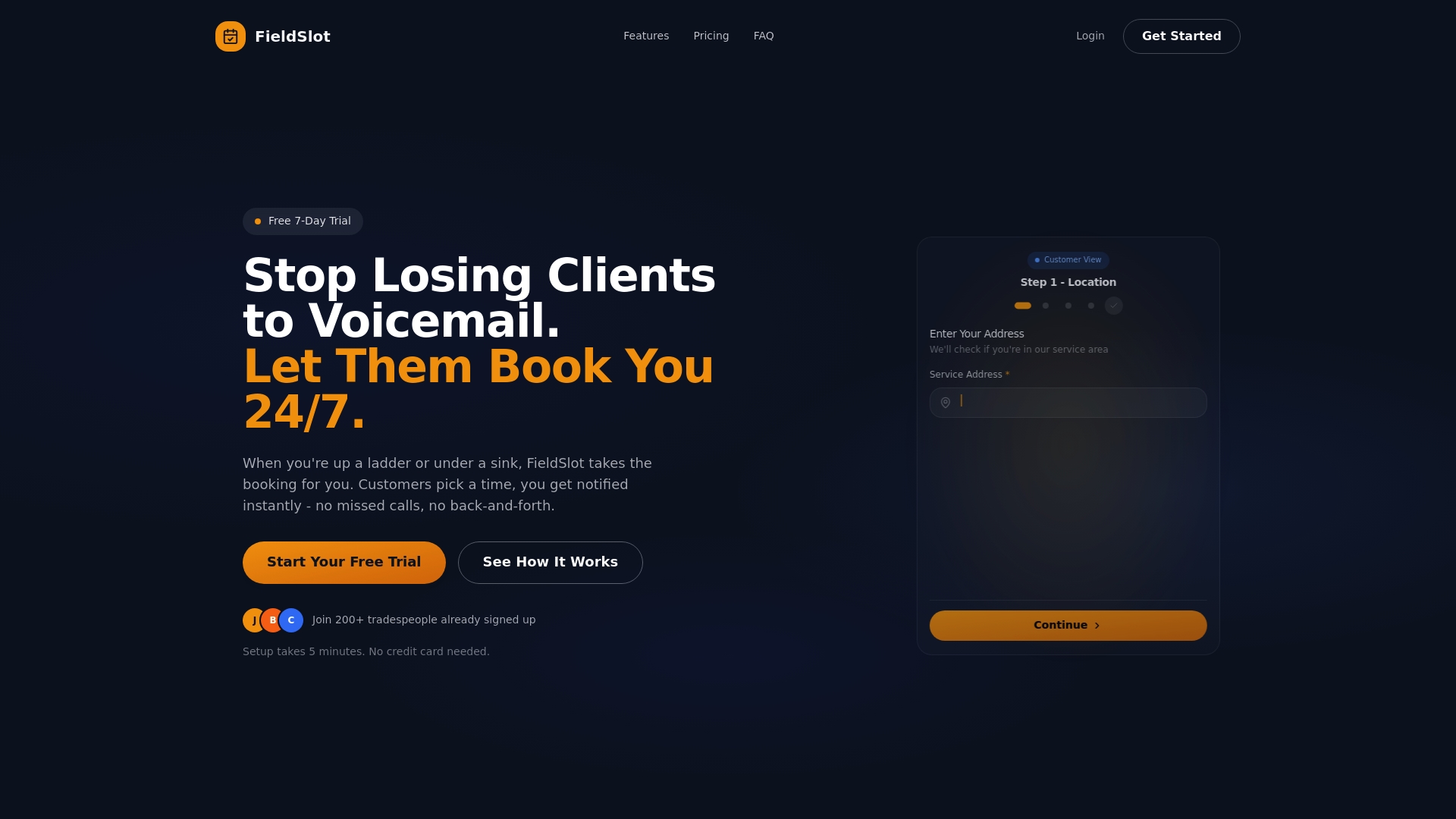
Unlike generic calendar tools, FieldSlot understands field service workflows. Smart travel buffers prevent late arrivals by accounting for realistic drive times. Automated email reminders reduce no-shows that waste your day. Online booking operates 24/7, capturing appointments even when you're unavailable to answer calls. QuickBooks integration streamlines invoicing so you get paid faster.
Setup takes five minutes, not weeks. You'll be accepting online bookings and optimizing routes the same day you sign up. Whether you're a solo operator or managing a small team, FieldSlot scales with your business without forcing you into complex enterprise software. Thousands of field service professionals trust FieldSlot to boost their job capacity and streamline operations. Start your free trial today and experience the difference efficient scheduling makes.
What is scheduling software for field service professionals?
Scheduling software automates the process of assigning technicians to jobs, planning optimal routes, and managing appointment timing for field service businesses. It replaces manual calendar coordination with intelligent algorithms that consider technician skills, geographic location, travel time, and workload capacity. The software handles customer booking requests, sends automated reminders, and provides mobile access for field teams to view schedules and update job status in real time.
For plumbers, electricians, and HVAC technicians, this automation eliminates hours spent on phone coordination and reduces errors that lead to missed appointments or inefficient routing. The result is increased job capacity, improved customer satisfaction through reliable service windows, and reduced administrative burden that lets you focus on delivering quality work.
How does AI improve scheduling efficiency for plumbers and HVAC techs?
AI algorithms assign jobs to the right technicians by balancing skill certifications, current location, and available capacity, while simultaneously optimizing travel routes to minimize drive time between appointments. This combinatorial optimization happens in seconds, considering factors like traffic patterns, service area boundaries, and appointment time windows that would take humans much longer to calculate manually. When emergencies arise, AI instantly identifies the nearest qualified technician and proposes schedule adjustments to accommodate urgent jobs without disrupting the entire day.
Real-time re-optimization responds to cancellations, delays, or new booking requests by automatically reorganizing routes and technician assignments. This flexibility keeps operations running smoothly despite the unpredictability inherent in field service work, ensuring technicians stay productive and customers receive prompt service.

Can scheduling software integrate with accounting tools like QuickBooks?
Yes, leading scheduling platforms offer native integrations with QuickBooks that automatically generate invoices when technicians complete jobs, eliminating manual data entry between systems. Practical implementations emphasize QuickBooks integration for streamlining financial management and improving cash flow visibility. The integration transfers customer information, service details, labor hours, and parts costs directly into your accounting system, ensuring financial records stay current without duplicate data entry.
This automation reduces billing errors, speeds up payment collection by enabling immediate invoice delivery after service completion, and provides accurate financial reporting for business planning. The time saved on administrative tasks translates directly into more hours available for revenue-generating work.
How can scheduling software handle emergency service requests?
Scheduling software uses AI to instantly dispatch the nearest available technician when emergency calls come in, calculating arrival times and automatically adjusting other appointments to accommodate the urgent job. The system evaluates which technician has the required skills, is closest to the emergency location, and has schedule flexibility to respond quickly. Real-time notifications alert the assigned technician immediately with complete job details and updated route guidance.
This automated response eliminates the frantic phone calls and manual schedule shuffling that traditionally slow emergency dispatch. Customers receive faster service, technicians get clear direction without confusion, and your business builds a reputation for reliability when urgent situations arise. The platform continuously re-optimizes remaining appointments to minimize disruption from the emergency insertion.