
TL;DR:
- Traditional scheduling methods are unsuitable for mobile professionals due to lack of routing and real-time updates.
- Modern mobile-first systems optimize routes, handle last-minute changes, and improve efficiency in the field.
- Selecting a scheduling platform should prioritize travel requirements, compliance needs, and mobile accessibility.
Keeping client visits on track while managing travel routes, last-minute cancellations, and regulatory requirements is one of the toughest operational challenges in field service work. Whether you're a visiting healthcare provider or a trade professional running a mobile team, the scheduling system you use can either multiply your capacity or quietly drain it. Traditional scheduling methods like stream, wave, and cluster booking were built for fixed clinic settings, not for professionals who spend half their day behind the wheel. This article breaks down the most effective appointment scheduling systems for mobile and visiting professionals, so you can choose the right fit for your operation.
Table of Contents
- Key criteria for evaluating scheduling systems for visiting professionals
- Traditional appointment scheduling methods: Do they work for visiting doctors?
- Modern route-optimized and mobile-first systems: Designed for the field
- Comparing appointment scheduling types: Features and fit
- Choosing the right scheduling system for your business model
- Why field-focused scheduling is transforming service businesses
- Simplify field scheduling with FieldSlot
- Frequently asked questions
Key Takeaways
| Point | Details |
|---|---|
| Mobile-first platforms excel | Scheduling systems designed for field service outperform static clinic-based tools by optimizing routes and real-time coordination. |
| Traditional methods have limits | Classic appointment styles fall short for visiting professionals due to their inability to manage travel or rapid schedule changes. |
| Comparison aids selection | A direct feature comparison helps identify which approach fits specific field service needs. |
| Expert tools increase efficiency | Leveraging advanced scheduling software can cut idle time and missed appointments, especially when handling compliance and complex scenarios. |
Key criteria for evaluating scheduling systems for visiting professionals
With the unique challenges of mobile work in mind, let's look at what matters most when you pick a scheduling system.
Not every scheduling platform is built with field professionals in mind. A system designed for a busy outpatient clinic will look very different from one that needs to handle dynamic routing, real-time job updates, and geographic service areas. Before you compare options, it helps to know which criteria actually move the needle for visiting and field-based work.
Here are the core factors to evaluate:
- Route optimization: Can the system plan the most efficient travel sequence between client locations? This directly affects how many jobs you can fit into a day.
- Real-time updates: Does the platform adjust schedules on the fly when a job runs long, a client cancels, or traffic changes your ETA?
- Automated client reminders: Email or SMS reminders reduce no-shows without requiring manual follow-up from your team.
- Regulatory compliance: For visiting healthcare providers, Electronic Visit Verification (EVV) and similar requirements must be supported natively.
- Edge case handling: Robust optimization for multi-time windows, client preferences, and last-minute changes separates capable platforms from basic calendar tools.
- Mobile accessibility: Field professionals need full scheduling functionality from a phone or tablet, not just a desktop.
The ability to handle edge cases is often underestimated. A system that works perfectly under normal conditions but breaks down when a client needs a two-hour window or a job requires a return visit will cost you time and credibility. Look for platforms that support optimizing field service scheduling across variable conditions, not just ideal ones.
Pro Tip: Ask vendors specifically how their platform handles same-day rescheduling and whether route recalculation is automatic or manual. The answer tells you a lot about how field-ready the system actually is.
Traditional appointment scheduling methods: Do they work for visiting doctors?
Now let's dig into how the best-known appointment systems might, or might not, work for visiting professionals.
Traditional scheduling methods were developed for outpatient settings where patients come to the provider. Stream scheduling assigns fixed time slots to each patient. Wave scheduling books multiple patients at the start of each hour. Open booking lets patients arrive when convenient. Cluster scheduling groups similar appointment types together. Double booking fills the same slot with two patients. Hybrid systems mix these approaches based on need.
Each of these models has a clear logic in a clinic context. The problem is that none of them were designed with travel in mind.
Here's how they stack up for field-based work:
- Stream scheduling: Predictable but rigid. A single traffic delay can cascade through the entire day with no automatic correction.
- Wave scheduling: Useful for managing patient flow in a waiting room, but meaningless when your "waiting room" is a series of addresses across a city.
- Open booking: Maximizes flexibility for the client but creates unpredictable travel patterns that make routing nearly impossible.
- Cluster scheduling: Works well if all your clients are in the same neighborhood, but rarely reflects real-world geography.
- Double booking: Creates buffer against no-shows in a clinic but leads to overlapping travel commitments in the field.
- Hybrid approaches: Offer some adaptability but still lack native routing or real-time update capabilities.
The core issue is that these systems treat time as the only variable. Field professionals deal with time and distance simultaneously. Comparing manual versus automated scheduling in a field context makes this gap even clearer.
"Traditional scheduling models were not designed to account for drive time between locations. For visiting professionals, ignoring travel is not a minor inconvenience, it is a structural inefficiency that compounds throughout the day."
Modern route-optimized and mobile-first systems: Designed for the field
Given these limitations, let's see why modern mobile-first solutions are rapidly becoming the go-to for field professionals.
Mobile-first scheduling platforms were built from the ground up for professionals who work outside a fixed location. Platforms like Skedulo and CareBravo, as well as purpose-built trade scheduling tools, incorporate routing algorithms, live calendar updates, and client communication features that traditional systems simply don't offer. Mobile-first platforms optimize client visits through routing and reduce missed appointments by integrating reminders and real-time updates.
Key features of modern mobile-first systems include:
- Automated route mapping: Calculates the most efficient visit sequence based on location, time windows, and traffic conditions.
- Live schedule updates: Pushes changes to field workers instantly when a job is added, moved, or canceled.
- Integrated client reminders: Automated notifications reduce no-shows without adding administrative work.
- Geographic service area controls: Prevents bookings outside your profitable service zone.
- Smart travel buffers: Adds realistic travel time between appointments to prevent late arrivals.
- Mobile access: Full functionality from any device, so your team stays informed whether they're at a job site or driving between calls.
The efficiency gains from saving drive time with field scheduling are significant. Businesses that adopt route-optimized scheduling report meaningful reductions in idle time between jobs, which translates directly to more billable hours per day.
Pro Tip: Pair your scheduling platform with invoicing or job tracking tools. When scheduling, time tracking, and billing connect, you eliminate duplicate data entry and get a clearer picture of your actual cost per visit.
For teams managing complex routes, route optimization for efficiency is not a luxury feature. It's a core operational requirement.

Comparing appointment scheduling types: Features and fit
With both traditional and modern systems explained, it's time for a clear, side-by-side comparison to guide your selection.
| Scheduling type | Travel/routing | Client reminders | Real-time updates | Regulatory support | Edge case handling |
|---|---|---|---|---|---|
| Stream/wave/cluster | None | Manual | None | None | Poor |
| Open/double booking | None | Manual | None | None | Poor |
| Hybrid (traditional) | Limited | Partial | Limited | Limited | Fair |
| Mobile-first platforms | Automated | Automated | Yes | Strong | Strong |
| AI-enabled systems | Advanced | Automated | Predictive | Strong | Excellent |
The table makes the gap clear. Traditional systems score consistently low on the criteria that matter most for field work. Mobile-first and AI-enabled platforms cover the full range.
Here's a quick guide to which scheduling style fits which situation:
- Solo trade professionals with predictable routes: A mobile-first platform with basic routing and reminders is sufficient.
- Small field service teams (2 to 10 technicians): A mobile-first system with team dispatch and real-time updates handles daily complexity well.
- Visiting healthcare providers with EVV requirements: A compliance-ready platform with location tracking and automated documentation is essential.
- Large or multi-region operations: AI-enabled systems with heuristic optimization handle multi-window visits and regulatory limits at scale.
For efficient client scheduling, matching the system's capabilities to your actual operational complexity is the deciding factor.
"For large-scale field operations, heuristic and metaheuristic algorithms are not optional extras. They are the only practical way to solve scheduling problems with dozens of variables simultaneously."
Choosing the right scheduling system for your business model
After weighing your options, here's a concise process to arrive at the best-fit scheduling system.
Selecting the right platform comes down to honest self-assessment of your operation's specific demands. Follow these steps:
- Map your travel requirements. How many client locations do you visit per day? How spread out are they? If travel accounts for more than 20% of your working hours, route optimization is non-negotiable.
- Identify your compliance needs. Do you operate under EVV mandates or other regulatory frameworks? Confirm that any platform you evaluate supports these natively, not through workarounds.
- Assess your real-time update frequency. If same-day changes are common, you need a system with automatic rescheduling and instant field notifications.
- Evaluate edge case scenarios. Think about your most complicated scheduling situations: multi-stop visits, return appointments, client time preferences. Test these scenarios during any trial period.
- Check mobile functionality. Log in from a phone and complete a full scheduling workflow. If it's clunky on mobile, your field team won't use it consistently.
- Consider future scale. HHCRSP heuristics and metaheuristics solve large scheduling instances that basic tools cannot handle. If you plan to grow, choose a platform that scales with you.
Pro Tip: Most platforms offer a free trial or demo period. Use it to test your three most complex scheduling scenarios, not just the easy ones. That's where system limitations become visible.
For scheduling clients efficiently at any scale, also review best field service booking software options to benchmark features before committing.
Why field-focused scheduling is transforming service businesses
Stepping back from the specifics, here's a broader perspective from years of helping field businesses operate more effectively.
Many field service businesses are still running on scheduling systems that were never designed for them. They've adapted clinic-style tools, spreadsheets, or basic calendar apps because that's what was available when they started. The cost of this compromise is real: missed appointments, unprofitable travel, and administrative time that could be spent on billable work.
The shift to mobile-first, route-optimized scheduling is not just a technology upgrade. It changes how a business competes. When you can fit one or two more jobs into a day without adding staff, that's a direct revenue gain. When clients receive automated reminders and your team arrives on time, that's a customer experience advantage that builds loyalty.
The implementation curve is real. Changing how your team books and manages appointments takes adjustment. But the businesses that push through that initial learning period consistently report that route optimization impact extends well beyond logistics. It affects morale, client retention, and growth capacity. The question is not whether to make the switch. It's how soon.
Simplify field scheduling with FieldSlot
If you're ready to put these scheduling best practices to work, here's a solution designed just for field professionals.
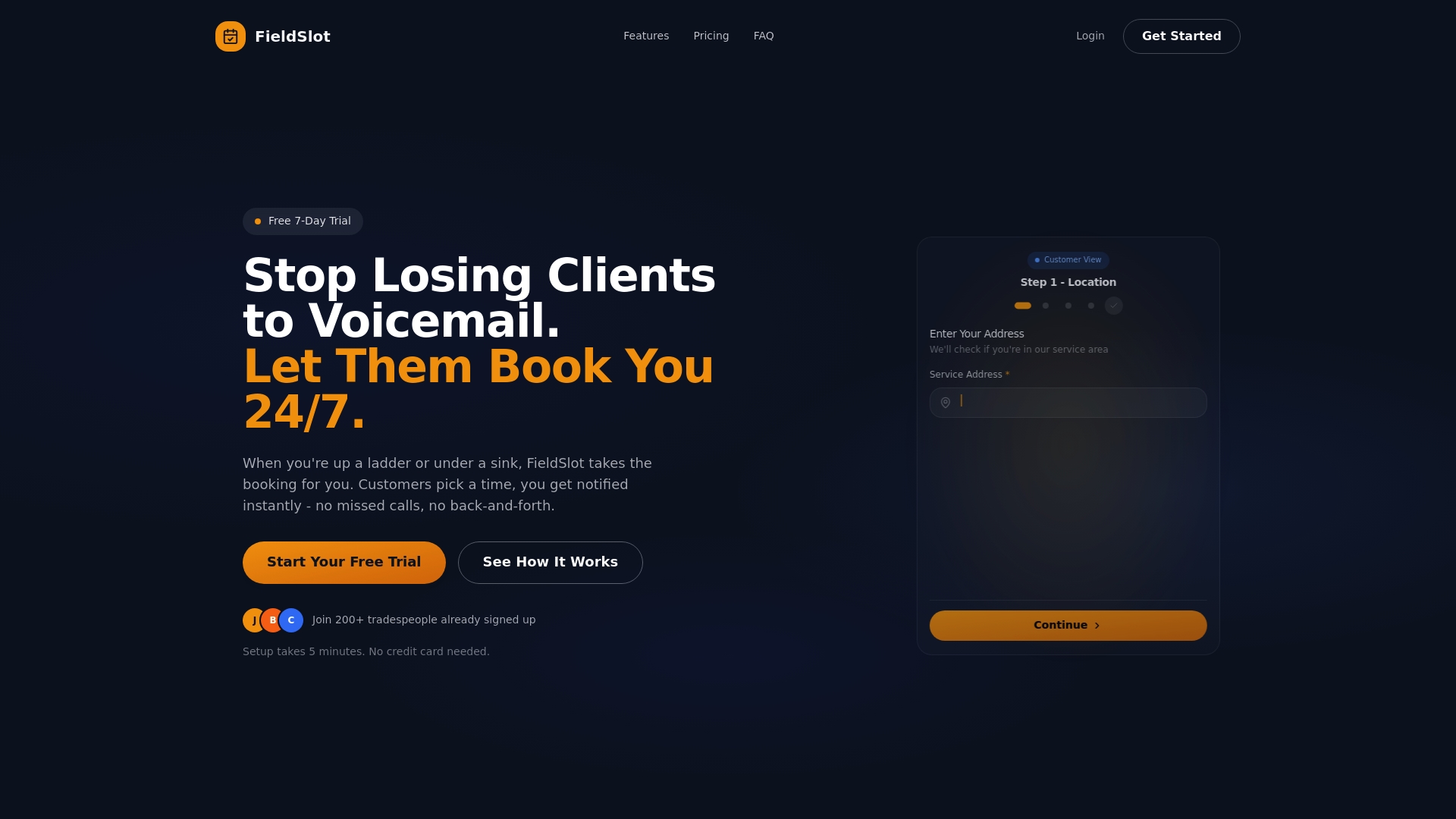
FieldSlot is built specifically for trade and field service professionals who need more than a basic calendar. The platform includes route optimization, smart travel buffers, geographic service area controls, and automated client reminders, all accessible from any device. Setup takes under five minutes, and 24/7 online booking means clients can schedule jobs even when you're knee-deep in a job. Whether you're a solo technician or managing a growing team, FieldSlot gives you the tools to reduce no-shows, cut idle travel time, and capture more jobs each week. Explore the leading field service booking options and see how FieldSlot compares.
Frequently asked questions
What is the most important feature of a scheduling system for visiting doctors?
Route optimization and real-time updates are the highest-priority features, as they directly reduce travel time and minimize missed appointments for mobile professionals.
Why don't traditional clinic scheduling methods work well for field professionals?
Traditional methods were designed for fixed locations and don't account for travel routes, dynamic job sites, or real-time changes, which leads to cascading delays and client dissatisfaction.
How can scheduling software help with compliance, like EVV?
Advanced platforms track visit time and location data automatically, supporting regulatory EVV compliance and syncing records for audits or billing without manual documentation.
Are there appointment systems that adapt to last-minute rescheduling or cancellations?
Yes. AI-enabled platforms automatically recalculate routes and push updated schedules to field workers in real time, keeping operations running smoothly even when plans change.