
TL;DR:
- Organized scheduling routines reduce delays, costs, and improve HVAC service efficiency.
- Using digital tools and automation enhances appointment accuracy and minimizes no-shows.
- Building a seasonal schedule for maintenance optimizes system performance and longevity.
Missed service windows, vague booking instructions, and technicians who show up without the right information are frustrating for any homeowner or property manager. Disorganized HVAC scheduling doesn't just waste your time; it can delay critical repairs, shorten equipment lifespan, and leave tenants uncomfortable. The good news is that a clear, repeatable process eliminates most of these problems quickly. This guide walks you through everything you need to prepare, how to book efficiently, how to maintain a long-term schedule, and which tools make the entire process faster and more reliable.
Table of Contents
- What you need before scheduling an HVAC appointment
- Step-by-step: How to schedule your HVAC appointment
- Maintaining an optimal schedule: Routine and preventive appointments
- Scheduling tools and automation for HVAC appointments
- A smarter approach to HVAC scheduling: What most homeowners miss
- Simplify your HVAC scheduling with field-tested solutions
- Frequently asked questions
Key Takeaways
| Point | Details |
|---|---|
| Prepare details in advance | Having service type, address, and system symptoms ready saves time and ensures more effective appointments. |
| Use automated tools | Booking online and setting reminders dramatically reduces no-shows and speeds up HVAC services. |
| Follow a scheduling routine | Seasonal and regular maintenance visits prevent breakdowns and extend HVAC system life. |
| Choose trusted providers | Verified, well-reviewed companies offer reliable scheduling options and better customer support. |
What you need before scheduling an HVAC appointment
Now that you understand why organized scheduling matters, let's look at what you need to prepare before booking.
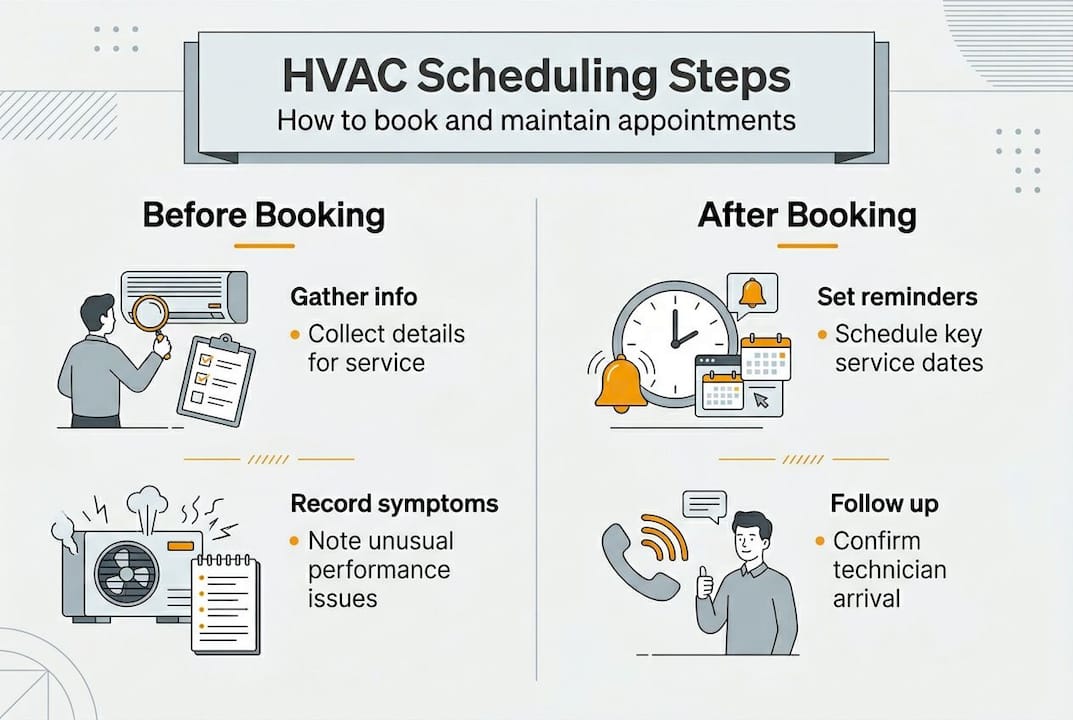
Gathering the right information before you pick up the phone or open an online booking portal saves significant time. Homeowners schedule HVAC appointments primarily online or by phone, providing service type, address, symptoms, and preferred time. When you have these details ready, technicians arrive prepared, which reduces follow-up visits and keeps costs down.
Here is the core information you should have on hand:
- Service type: Repair, routine maintenance, inspection, or new installation
- Property address: Including unit number, gate codes, or access instructions
- System details: Make, model, age, and any recent service history
- Symptoms: Unusual sounds, temperature inconsistencies, error codes, or odors
- Preferred time windows: Two or three options across different days
- Warranty or service contract documents: If applicable
For property managers, preparation goes a step further. You need to coordinate tenant availability, pull maintenance logs from previous visits, and confirm that access to mechanical rooms or rooftop units is possible on the scheduled date. Skipping this step leads to wasted technician trips and frustrated tenants.
| Preparation item | Homeowner | Property manager |
|---|---|---|
| Service type and symptoms | Required | Required |
| System make and model | Helpful | Required |
| Maintenance logs | Optional | Required |
| Tenant coordination | Not needed | Required |
| Access instructions | Helpful | Required |
For scheduling HVAC repair efficiently, documenting symptoms in writing before you call is one of the most overlooked steps. A technician who knows the system is making a grinding noise on startup and losing cooling capacity after 20 minutes can bring the right parts on the first visit.
Pro Tip: Take a short video of any unusual behavior from your HVAC system before booking. Many online scheduling platforms allow you to attach files, and this single step can cut diagnostic time significantly.
Step-by-step: How to schedule your HVAC appointment
Once you have the necessary information, follow these steps to schedule your appointment smoothly.
The actual booking process is straightforward when you know what to expect. Select service, enter details, pick a slot, confirm — this four-step flow applies whether you book online or by phone.
- Choose a certified provider. Look for NATE-certified technicians, check Google or Yelp reviews, and confirm they service your area. A provider with strong reviews and clear service area boundaries is more likely to show up on time.
- Select your service type. Be specific: repair, tune-up, inspection, or installation. If you're booking HVAC installs online, many platforms let you specify the equipment type upfront.
- Enter your property details and symptoms. Use the notes field to describe what's happening. The more specific you are, the better prepared the technician will be.
- Pick an available date and time. Online platforms show real-time availability, so you can see open slots without calling back and forth.
- Confirm and save your booking. You should receive an email or text confirmation immediately. Save this for reference and add it to your calendar.
Here's a quick comparison of the three most common booking methods:
| Booking method | Real-time availability | Automated reminders | Best for |
|---|---|---|---|
| Online portal | Yes | Yes | Most homeowners |
| Phone booking | No | Sometimes | Complex or urgent repairs |
| Maintenance plan | Auto-scheduled | Yes | Long-term property management |
Digital platforms have a clear advantage for routine appointments. You can book at midnight if needed, receive automated reminders before the visit, and reschedule with a few clicks if your schedule changes.

Pro Tip: When booking online, always select a two-hour arrival window rather than a fixed time. This gives the technician flexibility and reduces the chance of a late arrival affecting your plans.
Maintaining an optimal schedule: Routine and preventive appointments
While one-off repairs are crucial, recurring preventive appointments keep HVAC systems running efficiently.
Reactive scheduling, waiting until something breaks, is one of the most expensive habits a homeowner or property manager can have. A proactive maintenance schedule extends equipment life, lowers energy bills, and keeps warranties valid.
Property managers schedule annual HVAC inspections seasonally, spring for AC and fall for heating, researching certified providers, getting quotes, and preparing access checklists in advance. This seasonal rhythm is the most reliable way to stay ahead of demand surges when every HVAC company is booked solid.
Here is a standard preventive maintenance checklist to guide your scheduling:
- Monthly: Check and replace air filters as needed
- Quarterly: Inspect coils, check refrigerant levels, test thermostat calibration
- Annually: Full system tune-up, duct inspection, electrical connection check, and blower motor assessment
These intervals align with HVAC preventive maintenance per ASHRAE 180/ACCA, which recommends monthly filter checks, quarterly inspections covering coils and refrigerant, and annual comprehensive tune-ups.
Statistic callout: Commercial properties typically require quarterly HVAC inspections at minimum, while residential systems should follow OEM and ACCA guidelines, which generally point to two service visits per year.
Using setting HVAC maintenance reminders through a scheduling platform means you never rely on memory alone. Automated reminders sent weeks in advance give you enough time to arrange access, coordinate tenants, and confirm technician availability. The HVAC scheduling software benefits extend beyond convenience: they directly reduce the risk of costly emergency repairs caused by deferred maintenance.
Scheduling tools and automation for HVAC appointments
To make the process even easier, consider using these advanced scheduling tools and automation techniques.
Manual scheduling, phone calls, paper logs, and spreadsheets, creates gaps. Appointments get forgotten, reminders don't go out, and technicians arrive at properties without the right context. Scheduling software closes these gaps systematically.
Leading platforms in the HVAC space include:
- ServiceTitan: Rated 9.4/10, best for large enterprise operations with complex dispatch needs
- Housecall Pro: Rated 9.2/10, well-suited for mid-size HVAC businesses with strong mobile features
- Jobber: Rated 8.7/10, a solid choice for growing businesses needing clean client management
- Workiz: Dispatch-focused, ideal for teams prioritizing GPS tracking and real-time communication
Software boosts jobs per day 15 to 25% and cuts no-shows by 30 to 60%, according to industry data on HVAC scheduling platforms. These are not marginal gains. For a property manager overseeing multiple buildings, a 30% reduction in no-shows translates directly into fewer disrupted tenants and lower rescheduling costs.
| Feature | ServiceTitan | Housecall Pro | Jobber | Workiz |
|---|---|---|---|---|
| Drag-and-drop scheduling | Yes | Yes | Yes | Yes |
| Automated reminders | Yes | Yes | Yes | Yes |
| GPS tracking | Yes | Yes | Limited | Yes |
| AI-powered dispatch | Yes | No | No | Limited |
| Best for | Enterprise | Mid-size | Growing SMB | Dispatch-heavy |
For reducing HVAC no-shows, the combination of automated email and text reminders with calendar sync is the most effective approach available today. Efficient HVAC scheduling tools also allow customers to self-book, which removes the back-and-forth entirely.
Pro Tip: Sync your scheduling platform with Google Calendar or Microsoft Outlook. When appointment confirmations land directly in your calendar, you eliminate the risk of double-booking or forgetting a service window entirely.
A smarter approach to HVAC scheduling: What most homeowners miss
Most scheduling frustrations come from the same root cause: treating HVAC appointments as one-off events rather than part of a managed system. When you call for service only after something breaks, you're competing with every other homeowner in your area who waited too long. Slots fill fast, and you end up accepting whatever time is available, not what works for you.
The shift is simple but powerful. Build your HVAC appointments into a seasonal calendar the same way you schedule any other recurring obligation. Spring and fall are your anchor points. Everything else, filter changes, mid-year checks, falls into place around them.
Automation does the heavy lifting once the system is set up. Tools that handle saving drive time with scheduling tools also reduce the administrative burden on property managers who are coordinating multiple units and technicians at once. The result is fewer missed appointments, better-prepared technicians, and HVAC systems that run longer without emergency intervention.
The homeowners and property managers who get the most reliable service are not the ones who call the fastest. They are the ones who show up to the booking process prepared, use digital tools to stay organized, and treat preventive care as a fixed part of their property management routine.
Simplify your HVAC scheduling with field-tested solutions
Ready to put these techniques to work? Here's an easy way to start scheduling smarter right now.
FieldSlot is built specifically for field service professionals and the customers who rely on them. Whether you manage a single home or a portfolio of properties, the platform lets you book HVAC appointments online 24/7, receive automated reminders, and sync every appointment with your existing calendar in real time.

Setup takes under five minutes, and features like route optimization and smart travel buffers mean technicians arrive on time and prepared. If you want fewer no-shows, less back-and-forth, and a scheduling process that actually works around your schedule, see more HVAC scheduling benefits and explore how FieldSlot can fit your needs today.
Frequently asked questions
How far in advance should I schedule HVAC maintenance?
Schedule AC checks each spring and furnace inspections each fall to stay ahead of seasonal demand and secure your preferred time slots before providers fill up.
What information will I need when booking an HVAC appointment?
Have your address, service type, system symptoms, model details, and preferred dates ready, as providers require these details upfront to ensure accurate scheduling and proper technician preparation.
Can I reschedule or cancel an HVAC appointment online?
Most providers allow instant online rescheduling or cancellation, and real-time availability with automated reminders makes managing changes straightforward without needing to call.
How do automated reminders help with HVAC scheduling?
Automated reminders cut no-shows by 30 to 60% and give you advance notice to prepare access, coordinate tenants, or reschedule if your plans change.