TL;DR:
- Poor scheduling above ground causes inefficiencies and revenue loss for sewer line teams.
- Advanced software features like route optimization and offline mobile access improve productivity.
- Choosing mobile-first, offline-capable tools and testing them in real conditions ensures successful adoption.
Sewer line technicians already deal with enough complexity underground. Above ground, poor scheduling quietly drains revenue. Travel time reductions of 20-30% and matching gains in daily job completions are achievable with the right scheduling software, yet most sewer crews still rely on phone calls, whiteboards, and gut instinct to organize their day. That gap between how things are done and how they could be done is exactly where this article helps. We will walk through the core scheduling challenges sewer line teams face, the software features that address them, a side-by-side comparison of leading tools, and a practical adoption framework you can start using immediately.
Table of Contents
- Why scheduling is the core challenge for sewer line technicians
- Core features of scheduling software that matter for sewer line operations
- Comparing software options: Jobber, Housecall Pro, ServiceTitan
- Applying scheduling software: Practical steps for sewer techs and owners
- Our take: What most guides miss about scheduling software for sewer line teams
- Connect your workflow with FieldSlot
- Frequently asked questions
Key Takeaways
| Point | Details |
|---|---|
| Reduce travel time | Scheduling software cuts drive time by up to 30% for sewer crews using optimized routes. |
| Boost job completion | Technicians increase jobs completed per day by 20-30% with dynamic dispatch tools. |
| Save admin hours | Plumbing businesses reclaim 2-4 hours daily through streamlined scheduling workflows. |
| Select by team size | Jobber suits small teams; ServiceTitan is ideal for scalable operations needing advanced analytics. |
| Prioritize mobile access | Choose apps with offline and GPS features to support sewer techs working in poor signal areas. |
Why scheduling is the core challenge for sewer line technicians
Sewer line work is unpredictable by nature. A routine camera inspection can turn into an emergency hydro-jetting call within minutes. That unpredictability makes scheduling harder than it looks, and the consequences of getting it wrong pile up fast.
The most common pain points sewer techs and their owners report include:
- Last-minute job changes that scramble the day's route and leave gaps in the schedule
- Unoptimized travel routes that send technicians across town when a closer job exists
- Admin overload from manually confirming appointments, updating job statuses, and chasing customer callbacks
- Double bookings and missed appointments caused by disconnected calendars and verbal confirmations
These problems are not just frustrating. They have a measurable financial cost. Every hour a technician spends driving an inefficient route or waiting on a phone confirmation is an hour not spent on a billable job. Low technician utilization is one of the fastest ways a plumbing or sewer business bleeds margin without realizing it.
The numbers tell a clear story. Businesses that adopt scheduling software report 50% time savings in scheduling, a 25% increase in technician utilization, an 18% improvement in first-time fix rates, and 2 to 4 hours of admin time saved every single day.
Key benchmark: Scheduling software cuts scheduling time by 50% and saves field service teams 2 to 4 hours of admin work daily, directly translating to more billable hours per technician.
For a sewer line business running three or four technicians, that math adds up to significant recovered revenue each week. Learning efficient client scheduling is not a luxury for sewer teams. It is a competitive requirement. The broader scheduling software benefits extend well beyond time savings, touching customer satisfaction, technician morale, and overall business growth.
The shift from reactive scheduling (responding to chaos) to proactive scheduling (anticipating and organizing demand) is what separates growing sewer businesses from stagnant ones. Software is the mechanism that makes that shift possible.
Core features of scheduling software that matter for sewer line operations
Not every scheduling tool is built for field work. Many are designed for office environments where appointments are predictable and staff are always connected. Sewer line operations need something more rugged. Here are the features that actually move the needle.
Dynamic dispatching is the ability to reassign or reroute technicians in real time as job conditions change. When an emergency call comes in, dynamic dispatch identifies the closest available tech with the right equipment and reroutes them immediately. No phone tag, no delay.
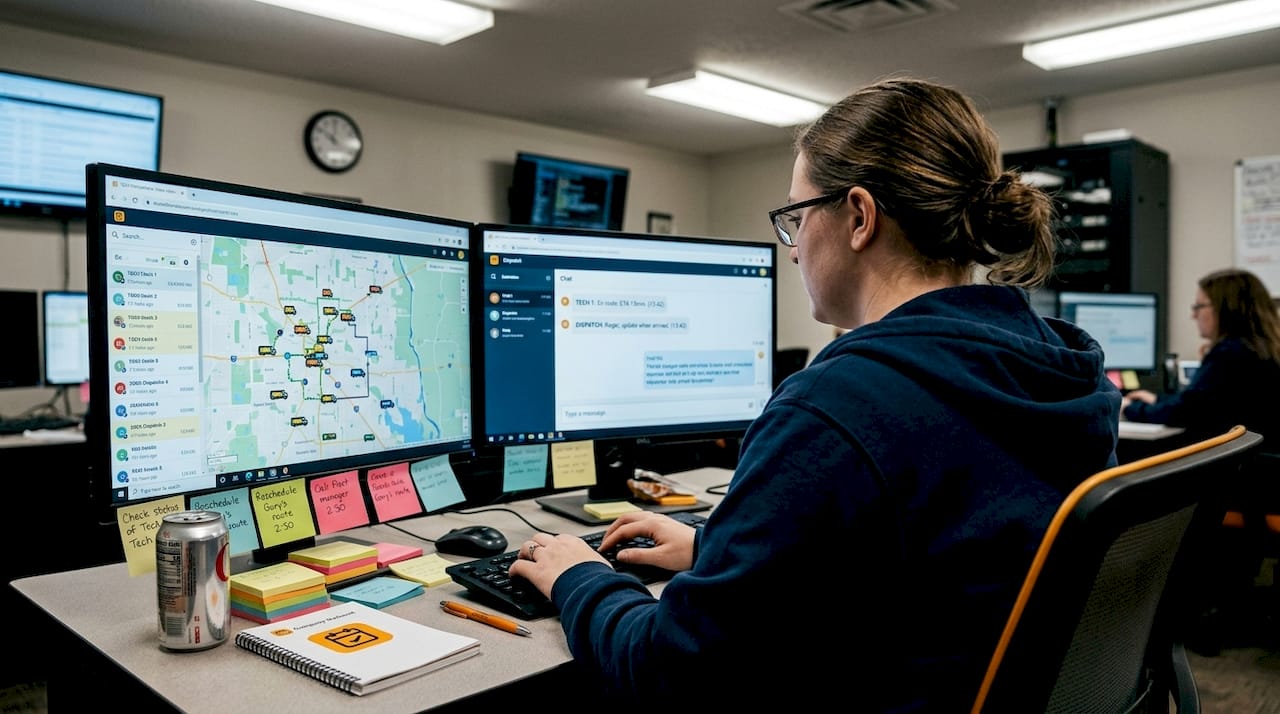
Route optimization is the feature that delivers the most visible ROI fastest. Software that calculates the most efficient sequence of jobs reduces travel time by 20-30%, which directly increases how many jobs a technician can complete in a day. For sewer crews covering wide service areas, this is a significant operational gain.
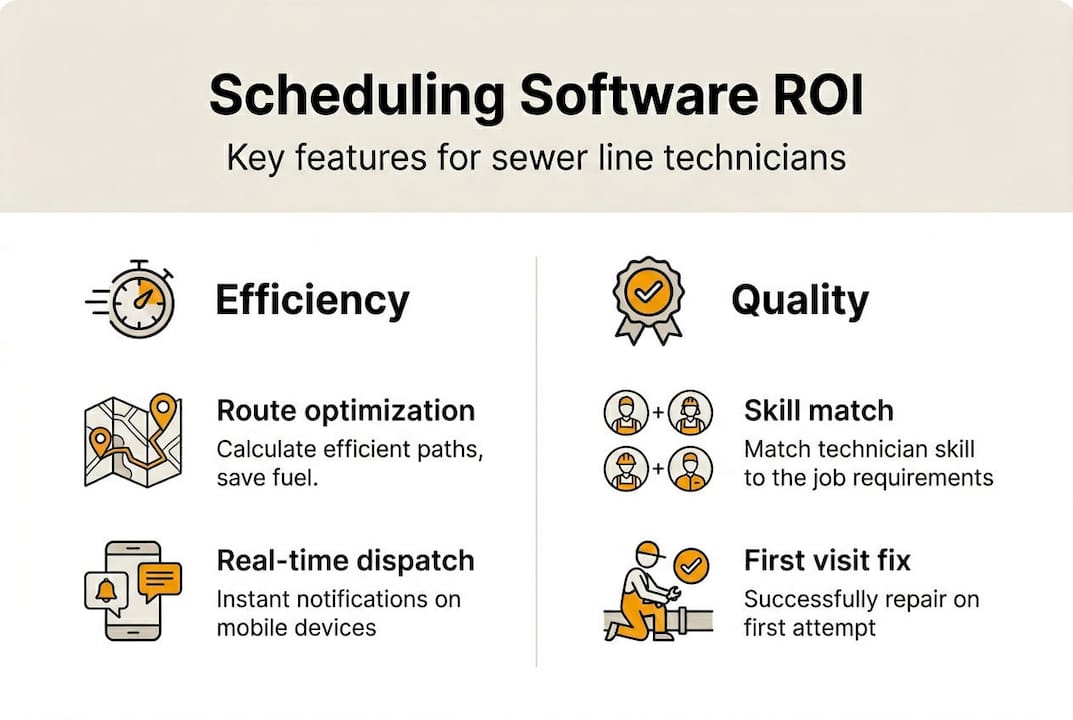
Skill-based assignment matches each job to the technician best qualified to handle it. A camera inspection does not need your most experienced hydro-jetting specialist. Matching job type to skill level improves first-time fix rates and keeps specialized techs available for jobs that need them.
Mobile and offline access is non-negotiable for sewer work. Technicians often operate in basements, utility corridors, and remote areas with weak or no cell signal. An app that requires a constant connection will fail exactly when it is needed most. Look for appointment scheduling optimization tools that cache job data locally and sync when connectivity returns.
Key features to prioritize when evaluating software:
- Real-time dispatch and rerouting
- GPS-based route optimization
- Offline mobile access with automatic sync
- Skill and certification matching for job assignment
- Automated customer notifications and reminders
- Integration with calendar tools like Google Calendar and Outlook
Pro Tip: If your vans carry specific parts and equipment, prioritize software that integrates with inventory tracking. Knowing what is on each van before dispatching prevents wasted trips back to the shop and keeps route optimization tips working in your favor.
Comparing software options: Jobber, Housecall Pro, ServiceTitan
With the critical features defined, it is worth examining how the leading tools stack up for sewer line teams of different sizes. Each platform has genuine strengths and real trade-offs.
Jobber is the go-to option for small sewer operations with fewer than 10 technicians. Setup is fast, the interface is clean, and the learning curve is low. It handles scheduling, invoicing, and client communication well. The trade-off is that it lacks the advanced dispatch logic and deep analytics that larger operations need.
Housecall Pro sits in the middle of the market. It offers more automation than Jobber, including marketing tools, automated follow-ups, and a consumer-facing booking portal. It works well for mid-sized teams that want to grow their customer base without adding admin staff.
ServiceTitan is built for scale. It delivers deep analytics and advanced dispatch capabilities, but comes with a steeper learning curve and a higher price point. For sewer businesses running 15 or more technicians, the efficiency gains of 25 to 30% that ServiceTitan enables can justify the investment. Smaller teams may find the complexity outweighs the benefit.
| Feature | Jobber | Housecall Pro | ServiceTitan |
|---|---|---|---|
| Best team size | Under 10 techs | 5 to 20 techs | 15+ techs |
| Setup time | Fast (hours) | Moderate (days) | Long (weeks) |
| Route optimization | Basic | Moderate | Advanced |
| Offline mobile access | Limited | Moderate | Yes |
| Analytics depth | Basic | Moderate | Advanced |
| Pricing tier | Low | Mid | High |
| Emergency dispatch | Manual | Semi-automated | Fully automated |
The right choice depends on your team size, growth plans, and how much complexity you are willing to manage. Explore the field service software benefits that matter most to your operation before committing to any platform.
Applying scheduling software: Practical steps for sewer techs and owners
Knowing which software exists is one thing. Deploying it effectively is another. Here is a practical framework for testing, selecting, and integrating scheduling software into daily sewer line operations.
- Start with a free trial. Most platforms offer 14 to 30 day trials. Use this window to run real jobs through the system, not demo scenarios. Test how it handles an emergency reroute and a same-day cancellation.
- Measure three core metrics during the trial. Track admin hours spent per day before and after, technician utilization rate (billable hours divided by available hours), and first-time fix percentage. These numbers tell you whether the software is working.
- Configure job types separately. Set up emergency sewer calls with different priority rules than routine inspections. Software that treats all jobs equally will underperform for sewer operations where urgency varies significantly.
- Train your field team on mobile access first. Technicians who understand how to use the app offline and sync when back in range will adopt the tool faster and with less resistance.
- Integrate with your existing calendar. Sync with Google Calendar or Microsoft Outlook from day one to avoid double bookings during the transition period.
The data on streamlined appointment scheduling confirms that software transforms reactive sewer operations into proactive systems, freeing technicians from admin and enabling faster emergency response.
| ROI metric | Typical improvement with software |
|---|---|
| Admin time saved daily | 2 to 4 hours |
| Technician utilization increase | 25% |
| First-time fix rate improvement | 18% |
| Travel time reduction | 20 to 30% |
| Scheduling time reduction | 50% |
Pro Tip: Choose a mobile-first app, not a desktop tool with a mobile version bolted on. Field teams live on their phones. If the mobile experience is clunky, adoption will stall regardless of how powerful the desktop version is.
Our take: What most guides miss about scheduling software for sewer line teams
Most software comparison guides focus on pricing tiers and feature checklists. They rarely address the conditions sewer technicians actually work in. Underground access points, utility corridors, and rural service areas all share one common trait: poor cell signal. A scheduling app that loses functionality the moment a tech goes underground is not a field tool. It is a liability.
The guides also skip inventory integration almost entirely. Sewer line work often requires specific parts on the van. If your scheduling software cannot tell dispatch what each truck is carrying, you will send techs to jobs they cannot complete. That is a failed appointment that no route optimization can fix.
Our recommendation is to prioritize mobile-first, offline-capable apps with GPS tracking and to test them under real field conditions, not just in the office. Trial the app in a basement or a low-signal area. If it fails there, it will fail your team. Pair that with inventory integration and you have a setup that addresses the actual route planning for field teams challenges sewer techs face every day, not just the ones that look good in a product demo.
Connect your workflow with FieldSlot
If you are ready to move from manual scheduling to a system that works as hard as your field team, FieldSlot is built for exactly that transition. Sewer line techs and plumbing business owners can set up 24/7 online booking, automate customer reminders, and sync appointments across Google Calendar and Outlook in under five minutes.

FieldSlot also includes geographic service area controls and smart travel buffers so you stop taking jobs that cost more in drive time than they return in revenue. Explore the full range of field service scheduling perks and see how the platform fits the way sewer line businesses actually operate. No lengthy onboarding, no technical expertise required.
Frequently asked questions
How does scheduling software reduce travel time for sewer line technicians?
It applies real-time route optimization and skill-based dispatch to sequence jobs efficiently, with 20-30% travel reductions consistently reported across field service operations.
What ROI benchmarks should plumbing business owners use to evaluate scheduling tools?
Focus on three numbers during any software trial: admin hours saved per day, technician utilization rate, and first-time fix percentage. 50% scheduling time savings and a 25% utilization increase are realistic targets.
How do Jobber and ServiceTitan differ for sewer line teams?
Jobber suits small operations that need fast setup without complexity, while ServiceTitan delivers advanced analytics and automated dispatch for larger teams willing to invest in a longer implementation.
What practical steps help owners successfully adopt scheduling software?
Run trials with real jobs, test mobile access in low-signal environments, configure emergency and routine job types separately, and track utilization and admin time from day one to confirm the software is delivering measurable value.