
TL;DR:
- Scheduling software automates bookings, technician dispatch, and route planning, reducing errors and admin work.
- It improves efficiency by enabling online booking, automated reminders, and real-time updates.
- Adoption success depends on process management and team engagement, not just technology features.
Running a field service business without scheduling software is like navigating a city without a map. You might get somewhere, but you'll waste time, miss turns, and lose jobs along the way. Manual scheduling through spreadsheets, whiteboards, or phone calls creates real financial damage: double bookings frustrate customers, missed appointments cost revenue, and hours spent on admin work pull you away from billable jobs. For plumbers, HVAC technicians, electricians, and other trades professionals, this inefficiency adds up fast. This guide breaks down exactly what scheduling software is, how it works, and how you can put it to work for your field service operation.
Table of Contents
- Understanding scheduling software: A field service essential
- How scheduling software works: Core features and workflow
- Manual vs automated scheduling: Which is right for your business?
- How to implement scheduling software in your field service workflow
- Why most field service scheduling struggles are management—not technology—problems
- Streamline your scheduling with FieldSlot
- Frequently asked questions
Key Takeaways
| Point | Details |
|---|---|
| Automates bookings | Scheduling software lets you book, allocate, and dispatch jobs without manual back-and-forth. |
| Minimizes errors and delays | Automated scheduling cuts double-bookings and keeps your field staff on time. |
| Boosts team productivity | Smart routing and instant notifications help your crew complete more jobs each day. |
| Easy to adopt | Modern software is simple to implement and instantly improves business efficiency. |
Understanding scheduling software: A field service essential
Scheduling software is a digital system that automates the booking, assignment, and management of appointments and field jobs. Instead of manually tracking who is available, where they are, and what skills they have, the software handles those decisions automatically. For field service businesses, this means fewer phone calls, fewer errors, and more jobs completed each day.
The evolution of scheduling software has been significant. Early systems were simple calendar tools that replaced paper planners. Today, modern platforms incorporate artificial intelligence, real-time data, and geographic mapping to make smarter decisions. As noted in research on employee scheduling software, methodologies range from rule-based systems such as availability checks to AI-powered optimization that weighs dozens of variables at once.
For field service operations specifically, scheduling software delivers value in several key areas:
- Appointment management: Customers can book online 24/7 without calling your office.
- Technician dispatch: The system assigns the right person based on skills, location, and availability.
- Route planning: Jobs are grouped geographically to cut drive time and fit more work into each day.
- Client communication: Automated reminders reduce no-shows before they happen.
- Calendar sync: Integration with tools like Google Calendar keeps your whole team aligned.
Without software, field service businesses rely on manual processes that are prone to human error. A dispatcher might accidentally book two technicians for the same job, or forget to notify a customer about a time change. These mistakes damage your reputation and cost money. The benefits of scheduling software for field service professionals go beyond convenience: they directly affect your bottom line.
"Methodologies range from rule-based systems (e.g., availability checks) to AI-powered optimization" — Wikipedia on Employee Scheduling Software
The bottom line is simple. Scheduling software transforms a reactive, error-prone process into a proactive, reliable system. That shift is what separates growing field service businesses from ones that stay stuck.
How scheduling software works: Core features and workflow
Understanding what scheduling software does in practice helps you evaluate which features matter most for your business. Here is how a typical workflow unfolds when software handles your scheduling.
- A customer requests a job. They visit your website, click your booking link, and choose an available time slot. No phone call needed.
- The system checks availability. It reviews your technicians' calendars, their skill sets, and their current location to find the best match.
- A job is assigned automatically. The right technician gets notified with job details, customer address, and any special instructions.
- Route optimization kicks in. The software groups nearby jobs together to minimize drive time, solving what engineers call the Vehicle Routing Problem with Time Windows. VRPTW solutions are now handled digitally to improve route planning and on-time service delivery.
- Reminders go out automatically. The customer receives a confirmation email and a reminder before the appointment, reducing no-shows without any manual effort.
- The technician updates job status in the field. This keeps your office informed in real time so you can adapt if something changes.
For optimizing appointment scheduling in a trades business, these steps replace hours of manual coordination each week. A dispatcher who used to spend two hours a day on phone calls and calendar updates can redirect that time toward customer service or business development.
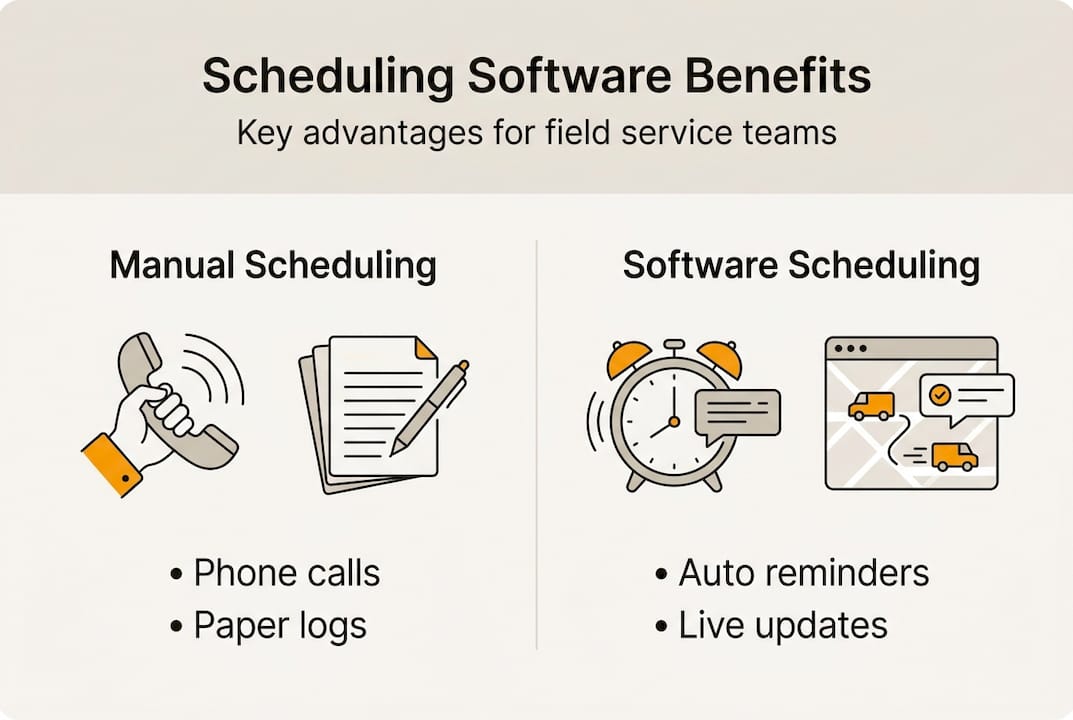
The notification layer deserves special attention. Automated reminders sent by email or text have a measurable impact on no-show rates. When customers receive a reminder the day before and an hour before their appointment, they are far less likely to forget or cancel last minute.
The scheduling software benefits extend to your technicians as well. When they receive clear job details, accurate addresses, and optimized routes, they spend less time confused and more time working.

Pro Tip: Make sure your software lets technicians update job status live from their phone, so your office always sees real-time progress and can adapt quickly when something unexpected comes up.
Manual vs automated scheduling: Which is right for your business?
Many field service owners hesitate to switch from manual scheduling because it feels familiar. But familiarity is not the same as efficiency. Here is a direct comparison of what each approach delivers.
| Feature | Manual scheduling | Automated scheduling |
|---|---|---|
| Booking speed | Slow, requires phone or email | Instant, 24/7 online booking |
| Error risk | High, human mistakes common | Low, system enforces rules |
| Route planning | Done manually, often inefficient | Optimized automatically |
| Last-minute changes | Difficult, requires calls | Updated in real time |
| Customer reminders | Manual or forgotten | Automated, consistent |
| Staff visibility | Limited, often siloed | Full, live calendar view |
| Scalability | Breaks down as volume grows | Scales with your business |
As automated scheduling research confirms, automated systems reduce errors and optimize routes compared to manual processes. The gap widens as your team and job volume grow.
Here are the most common real-world problems that manual scheduling creates for field service businesses:
- Double bookings that send two technicians to the same job or leave a customer without coverage.
- Missed appointments because a reminder was never sent and the customer forgot.
- Inefficient routes where technicians drive across town when a closer job was available.
- Lost leads from customers who called after hours and never got a callback.
- Wasted admin time spent on phone calls, calendar updates, and follow-ups.
For more context on the manual vs automated scheduling decision, the differences become even clearer when you factor in customer expectations. Today's clients expect fast confirmation and professional communication. Manual systems rarely deliver that consistently.
If your business handles more than five jobs per day or has more than two technicians, automated scheduling almost always pays for itself quickly through time savings and recovered revenue.
How to implement scheduling software in your field service workflow
Adopting scheduling software does not have to be complicated. A structured approach makes the transition smooth and sets your team up for success from day one.
- Assess your needs. List your team size, service types, average daily job volume, and the biggest pain points in your current process.
- Evaluate platforms. Look for software that matches your specific trade, integrates with your calendar, and offers the features you actually need.
- Set up your account. Configure your service area, working hours, technician profiles, and job types. Most modern platforms take less than an hour to configure.
- Import your data. Move existing customer records and upcoming appointments into the new system.
- Train your team. Walk technicians and office staff through the platform before going live. Focus on the tasks they will use daily.
- Test before launch. Run a few sample bookings to confirm everything works as expected.
- Gather feedback and iterate. Check in with your team after the first two weeks and adjust settings based on what they report.
As scheduling software guidelines note, effective systems must incorporate constraints such as technician skills, service level agreements, and regulations to work properly. Make sure your platform supports these from the start.
| Common challenge | Practical solution |
|---|---|
| Staff resistance to change | Involve team early, highlight personal benefits |
| Data migration errors | Export and review data before importing |
| Customer confusion | Send a simple notification about the new booking process |
| Feature overwhelm | Start with core features only, add more over time |
For guidance on efficient client scheduling during implementation, focus on getting your booking flow right first. Everything else can be refined once the basics are running smoothly.
Pro Tip: Start with one team or one service type to minimize risk. Early wins from a smaller rollout build confidence and make full adoption much easier.
Why most field service scheduling struggles are management—not technology—problems
Here is something most software vendors will not tell you: the technology is rarely the reason scheduling fails. In our experience working with field service businesses, the real obstacles are unclear processes, inconsistent follow-through, and teams that were never properly brought into the change.
Scheduling software is a tool. A powerful one, but still a tool. If your dispatchers skip steps, your technicians ignore updates, or your managers never review the data the system generates, you will not see the results you expect. The software will sit there working correctly while your business continues to struggle.
True efficiency is achieved when smart systems and smart habits work hand in hand. That means setting clear expectations for how jobs get booked, who updates statuses, and how exceptions are handled. It means reviewing your client scheduling processes regularly and adjusting when something is not working.
The businesses that get the most from scheduling software are not necessarily the ones with the most features turned on. They are the ones where leadership stays engaged, listens to their team, and treats the software as a living part of their operation rather than a one-time fix.
Streamline your scheduling with FieldSlot
If the ideas in this article resonate with you, FieldSlot is built to help you act on them. Designed specifically for trades professionals including plumbers, HVAC technicians, electricians, and locksmiths, FieldSlot scheduling software handles online booking, automated reminders, route optimization, and real-time calendar sync in one straightforward platform.

You can be up and running in under five minutes, with no technical background required. FieldSlot eliminates the manual back-and-forth that eats into your day, reduces no-shows, and helps you capture more jobs without adding admin work. Visit FieldSlot to explore pricing plans and see how the platform fits your field service operation.
Frequently asked questions
What is scheduling software in field service?
Scheduling software is a digital tool that automates appointment booking, technician assignments, and job dispatch for businesses such as plumbers or HVAC contractors. It replaces manual processes with a live, rules-based system that reduces errors and saves time.
How does scheduling software save time for field service businesses?
It reduces double-bookings, streamlines route planning, and automates reminders, saving hours each week compared to manual methods. Teams spend less time on phone calls and more time completing billable jobs.
Is scheduling software worth it for small field teams?
Yes, even small teams benefit from automation with fewer missed appointments and simpler client management. The time savings and reduced errors typically outweigh the cost quickly.
Can scheduling software handle urgent and last-minute jobs?
Most modern systems allow managers to quickly update schedules and assign emergency calls in real time. Technicians receive instant notifications so they can respond without waiting for a phone call.